Quick Answer
In SPF records, both ~all and -all are valid. The difference is enforcement:
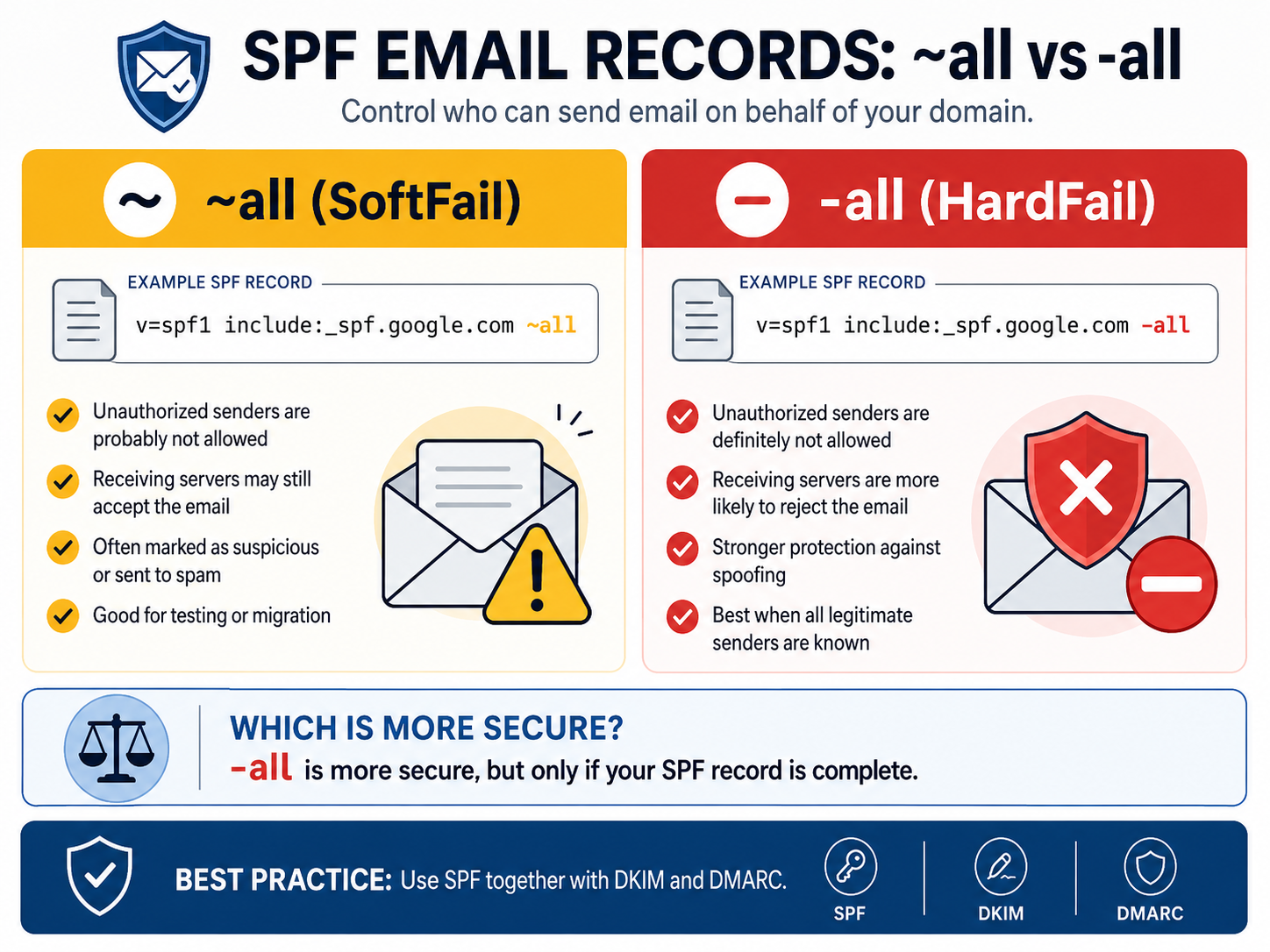
~allmeans SoftFail: unauthorized senders are probably not allowed.-allmeans Fail or HardFail: unauthorized senders are definitely not allowed.
For a mature, validated email setup, -all is more secure because it tells receiving mail servers to reject mail from sources that are not explicitly authorized.
What SPF Does
SPF, or Sender Policy Framework, is an email authentication record published in DNS. It lists which servers are allowed to send email for your domain.
SPF helps reduce domain spoofing, phishing, and unauthorized email delivery. But SPF does not work equally everywhere, because each receiving mail server decides how strictly it handles SPF results.
SPF SoftFail: What ~all Means
Use ~all when you want a softer policy while you are still testing or migrating email systems.
Example: SPF With ~all
v=spf1 include:_spf.google.com ~all
Meaning
Mail from unauthorized servers is probably not allowed. Receiving mail servers are advised to accept the message, but mark it as suspicious or route it to spam.
Common Behavior
- Email may still arrive in the inbox or spam folder.
- It is useful during testing, migration, or discovery.
- It reduces the risk of blocking legitimate mail while your SPF record is incomplete.
SPF HardFail: What -all Means
Use -all when you know all legitimate outbound mail sources and want stronger protection against spoofing.
Example: SPF With -all
v=spf1 include:_spf.google.com -all
Meaning
Mail from unauthorized servers is definitely not allowed. Receiving mail servers are advised to reject the message.
Common Behavior
- Spoofed mail is more likely to be blocked completely.
- Legitimate mail can fail if your SPF record misses a real sending service.
- It works best when combined with DKIM and DMARC.
Do ~all and -all Always Work?
Technically, yes. Both are valid SPF mechanisms and are supported by mail servers.
In practice, behavior depends on the receiving server:
- Some servers strictly enforce SPF.
- Some servers treat SPF failures as one signal among many.
- Some may ignore SPF failures.
- SPF alone is never guaranteed protection.
That is why SPF should not be your only email security control.
Which SPF Policy Is More Secure?
-all is more secure than ~all.
The reason is simple: -all explicitly denies every sender that is not authorized in your SPF record. This gives your domain stronger anti-spoofing protection and supports stricter DMARC enforcement.
However, -all is only safe when your SPF record is complete. If you forget a legitimate sender, such as your CRM, newsletter platform, ticketing system, or invoicing system, valid email may fail authentication.
Practical Recommendation
Use ~all When
- You are still configuring or testing SPF.
- You may have unknown mail senders.
- You are migrating mail systems.
- You need time to monitor real mail flow before strict enforcement.
Use -all When
- You fully know all outbound mail sources.
- Your SPF record is complete and validated.
- You want maximum anti-spoofing protection.
- Your DKIM and DMARC records are already working.
Best Practice Email Authentication Setup
Modern secure email authentication should use SPF, DKIM, and DMARC together.
SPF:   v=spf1 ... -all
DKIM:  enabled
DMARC: p=quarantine or p=reject
SPF alone is no longer enough. DKIM adds cryptographic signing, while DMARC tells receiving servers what to do when authentication fails. For real protection against spoofing and phishing, use all three.
Implementation Checklist
- List every legitimate email sender for your domain.
- Add each sender to your SPF record.
- Enable DKIM for every mail platform that supports it.
- Start DMARC monitoring with
p=noneif you are unsure. - Move DMARC to
p=quarantineorp=rejectafter validation. - Change SPF from
~allto-allonly when you are confident the record is complete.
FAQ
Is -all better than ~all?
Yes. -all is better for security because it tells receiving servers that unauthorized senders should fail SPF. Use it only after confirming that all legitimate senders are included.
Can SPF block all spoofed email?
No. SPF helps, but it does not block all spoofing by itself. DKIM and DMARC are essential for stronger protection.
Should every domain use -all?
Eventually, yes, but not before validation. Domains that are still discovering mail sources should start with ~all, monitor results, then move to -all.
What is the safest modern setup?
The safest practical setup is SPF with -all, DKIM enabled, and DMARC set to p=quarantine or p=reject.